Untitled MMA Game Customization Guide: Build & Style
Use the Untitled MMA Game customization guide to change your build, spin for fighting styles, choose cosmetics, and compare Robux options for your fighter.
UpdatedJump to
How to Customize Your Fighter
Build your fighter in Untitled MMA Game by changing height and weight, using Style Spins for fighting styles, and choosing gloves and trunks for your look. Those choices shape both your build and appearance. Start this Untitled MMA Game customization guide in Custom to adjust your build, then use your spins to try a fighting style.
Your customization resources serve different purposes. Height Rerolls change height, Style Spins roll fighting styles, and Coins buy items including gloves, trunks, crates, and additional rolls.
Customization options in the November 27 full release
| Customization | What you can change | Resource or option |
|---|---|---|
| Physical build | Height and weight | Build options; Height Rerolls for height |
| Fighting style | Your fighting discipline | Style Spins |
| Fight gear | Gloves and trunks | Coin purchases and season pass rewards |
| Additional cosmetics | Emotes and KO effects | Season pass rewards |
Change Height and Weight
Height and weight are part of character customization, and the game supports multiple weight classes. Open Custom to explore your build options, including different body builds.
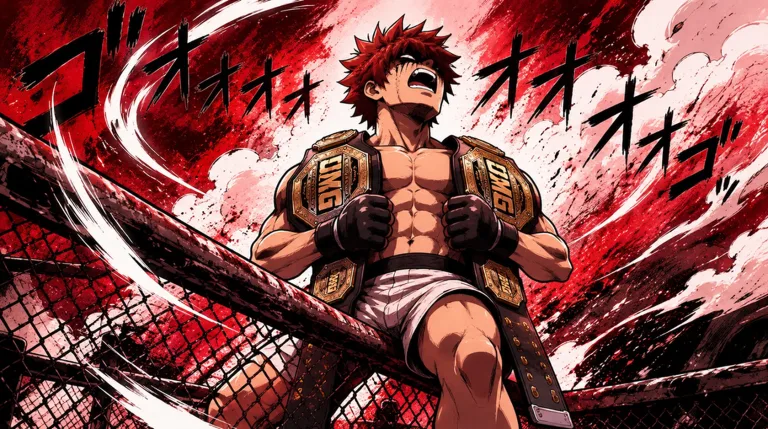 Image: Roblox / 5iveStarStudios2
Use Height Rerolls when you want to change your fighter’s height. Coins can purchase Height Rolls, while redeem codes also provide Height Rerolls.
Choose the build you want to play, then try it in sparring or against AI before heading into ranked. Keep your experiments focused: change your build, play a few fights, and then decide whether to spend another reroll. That gives you time to learn the character you already have.
Spin for Fighting Styles
Fighting styles cover disciplines including boxing and Jiu-Jitsu, alongside styles inspired by real MMA. Use Style Spins to roll for the style you want.
Open the style section through Custom and use an available spin. Free spins and code rewards give you opportunities to experiment before buying more with Coins.
Try a new style in sparring or against AI before taking it into ranked. Practice both attacking and defending rather than judging the style from a few punches.
The November 27 full release expanded style customization with:
- 6 new styles.
- New walking and footwork for every style.
Pay attention to movement when trying a different style, along with its attacks.
Customize Gloves, Trunks, and Effects
Coins let you purchase gloves, trunks, and crates. Crates provide cosmetic rewards, while the season pass offers another set of appearance options.
The November 27 full release introduced a season pass featuring:
- Gloves.
- Trunks.
- Emotes.
- KO effects.
Spend Coins on the specific gloves or trunks you want when choosing your outfit. Pick crates when you want their cosmetic rewards, and keep Height Rerolls and Style Spins for changes to your fighter’s build and discipline.
The full release also introduced Career Mode, a new arena, leagues, Stand and Bang Ranked, and Bare Knuckle.
Get Customization Resources From Codes
Codes can supply Coins, Style Spins, Height Rerolls, and crates. These rewards let you explore several parts of customization without spending Robux.
Try these codes for customization resources:
| Code | Rewards |
|---|---|
| WHENSUPDATE | 15k Coins, 5 Style Spins, 3 Height Rerolls, 5 Crates |
| UPDSOON | 10k Coins, 3 Style Spins, 2 Height Rerolls, 1 Crate |
| HIFLEX | 10k Coins, 5 Style Spins |
To redeem a code:
- Launch Untitled MMA Game on Roblox.
- Open Settings in the bottom-right corner.
- Find the Enter Code text box.
- Enter the code and select Redeem.
Use the rewarded spins and rerolls for the customization you want to change before purchasing additional rolls with Coins.
Paid Personalization Options
Several game passes add presentation features or customization-related perks.
| Game pass | Price | Feature |
|---|---|---|
| Walkout Music | 99 Robux | Choose a Roblox song for your walkout |
| Custom Title | 50 Robux | Write your own title |
| Instant Open | 50 Robux | Skip crate-opening animations |
| VIP | 399 Robux | Spins, lucky spins, 1.5x coins, and the VIP title |
Choose Walkout Music for your entrance or Custom Title for a personalized title. Instant Open changes how quickly crates open, while VIP bundles spins with coin and title perks. Match the purchase to the feature you actually want to use.
Something wrong or out of date on this page? How to report a correction
Continue with
 Untitled MMA Game Height: Rerolls and CustomizationCustomize your Untitled MMA Game height with Height Rolls, find codes for free rerolls, and learn how height, weight, and fighting styles fit your fighter.
Continue exploring
Join the community
Official channels for news, updates and player help: